|

|
|
|
|
DirectX
|
|
ActiveMac
|
|
Downloads
|
|
Forums
|
|
Interviews
|
|
News
|
|
MS Games & Hardware
|
|
Reviews
|
|
Support Center
|
|
Windows 2000
|
|
Windows Me
|
|
Windows Server 2003
|
|
Windows Vista
|
|
Windows XP
|
|
|
|
|
|
|
|
News Centers
|
|
Windows/Microsoft
|
|
DVD
|
|
Apple/Mac
|
|
Xbox
|
|
News Search
|
|
|
|
|
|
|
|
ActiveXBox
|
|
Xbox News
|
|
Box Shots
|
|
Inside The Xbox
|
|
Released Titles
|
|
Announced Titles
|
|
Screenshots/Videos
|
|
History Of The Xbox
|
|
Links
|
|
Forum
|
|
FAQ
|
|
|
|
|
|
|
|
Windows
XP
|
|
Introduction
|
|
System Requirements
|
|
Home Features
|
|
Pro Features
|
|
Upgrade Checklists
|
|
History
|
|
FAQ
|
|
Links
|
|
TopTechTips
|
|
|
|
|
|
|
|
FAQ's
|
|
Windows Vista
|
|
Windows 98/98 SE
|
|
Windows 2000
|
|
Windows Me
|
|
Windows Server 2002
|
|
Windows "Whistler" XP
|
|
Windows CE
|
|
Internet Explorer 6
|
|
Internet Explorer 5
|
|
Xbox
|
|
Xbox 360
|
|
DirectX
|
|
DVD's
|
|
|
|
|
|
|
|
TopTechTips
|
|
Registry Tips
|
|
Windows 95/98
|
|
Windows 2000
|
|
Internet Explorer 5
|
|
Program Tips
|
|
Easter Eggs
|
|
Hardware
|
|
DVD
|
|
|
|
|
|
|
|
ActiveDVD
|
|
DVD News
|
|
DVD Forum
|
|
Glossary
|
|
Tips
|
|
Articles
|
|
Reviews
|
|
News Archive
|
|
Links
|
|
Drivers
|
|
|
|
|
|
|
|
Latest Reviews
|
|
Xbox/Games
|
|
Fallout 3
|
|
|
|
Applications
|
|
Windows Server 2008 R2
|
|
Windows 7
|
|
|
|
Hardware
|
|
iPod Touch 32GB
|
|
|
|
|
|
|
|
Latest Interviews
|
|
Steve Ballmer
|
|
Jim Allchin
|
|
|
|
|
|
|
|
Site News/Info
|
|
About This Site
|
|
Affiliates
|
|
Contact Us
|
|
Default Home Page
|
|
Link To Us
|
|
Links
|
|
News Archive
|
|
Site Search
|
|
Awards
|
|
|
|
|
|
|
|
Credits
�1997-2012, Active Network, Inc. All Rights Reserved.
Please click
here
for full terms of use and restrictions or read our Light Tower
Privacy
Statement.
|

|
Product:
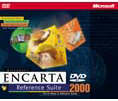
Encarta 2000 Reference Suite DVD Edition
Company: Microsoft
Website: http://www.microsoft.com/encarta
Estimated Street Price: $99.95
Review By: Byron Hinson
The Features
Being an avid DVD fan, I was
very pleased when Microsoft finally brought the Encarta suite to DVD-ROM
last year with Encarta 99. This year we get more of the same, with yet
more articles, videos, timelines, maps, words and access to Encarta Online
Deluxe. Here are a few of the features:
-
Encarta
Encyclopedia Deluxe 2000
-
Encarta
Interactive World Atlas
-
NEW!
Encarta World English Dictionary
-
Free*
Encarta Online Deluxe!
The #1 reference suite that combines three award winning products into
a comprehensive and integrated reference solution on one DVD-ROM!
featuring:
-
Convenience
� Eliminates the need for disc swapping, with 5 CDs of information
on one DVD-ROM.
-
Integration
� 16,000 Suite Links bring each of the Suite applications one click
away
-
Better
Quality � All videos play with high resolution, full-screen video
playback supported with MPEG 2 Video.
-
More
media � Featuring more of the media that takes advantage of DVD-ROM
technology. Includes 105% more videos and 220% more 360-degree views
than the CD-ROM version.
Benefits:
-
The
#1 name in multimedia encyclopedias
Encarta Encyclopedia Deluxe 2000 has 50% more information, including
42,000+ authoritative articles, 10,000 new historical archive
articles, and 40+ million words.
-
Experience
more multimedia!
Bring learning to life with more than 24,900 photos and illustrations,
and more than 3,540 audio clips.
-
Explore
the world from your desktop
with Encarta Interactive World Atlas 2000. With more than 20 map
styles and 1.7+ million place names, it provides eight times the
detail of any printed atlas!
-
Enrich
your command of the English language
as it is written and spoken around the world with the unique Encarta
World English Dictionary.
-
Make
learning an ongoing adventure.
All suite products work together to inspire a passion to learn,
explore, discover and create.
-
Access
Encarta Encyclopedia Deluxe
anytime, anywhere you have Internet access.*
*Online
updates for Encarta Reference Suite 2000 are made available on the
Internet each month from June 1999 to December 2000 at no additional
cost.
Access
to and use of the Internet may require payment of a separate fee to an
Internet service provider. Connect time charges may apply.
Installation and Settings
The Encarta Reference Suite
2000 usually comes on 5 CD's, but now with the DVD version there is no
need to spend time swapping around the CD's when you are searching for
information. Encarta has a number of different installation choices for
you to pick from, once you insert the DVD you can install various
components as shown below:
-
Encarta Research
Organizer A tool that helps you gather and organize information
for school reports.
-
Encarta Lesson
Collection Lesson plans and activities for students organized by
topic and grade level.
-
Encarta Interactive
World Atlas Access virtually anything on the map
-
Natural Language
Query A utility that lets you ask questions as well as use
keywords to search in Encarta Encyclopedia.
-
Text to Speech A
utility that lets you have articles read aloud to you in Encarta
Encyclopedia.
-
Speech Recognition
A utility that enables you to use voice commands instead of the mouse
or keyboard to perform many common functions in Encarta Encyclopedia.
-
Multimedia Catalog
A multimedia preview of many Microsoft games, home reference, and
other CD-ROM titles.
The bottom three are not
really needed unless you would like to use these gimmicks such as text to
speech or the slowly improving Microsoft Speech Recognition. Installing
the Encarta 2000 DVD can take a while (Especially if you choose to install
Internet Explorer 5 as well) but it installed without any problems.
Encarta Itself
I have decided to break the
review down into separate components just like Encarta itself is. I will
begin with the Encarta Encyclopedia Deluxe 2000. Encarta Encyclopedia is
filled full of documents, topics, accounts, illustrations, sounds and
videos, everything you would want from a computer encyclopedia.
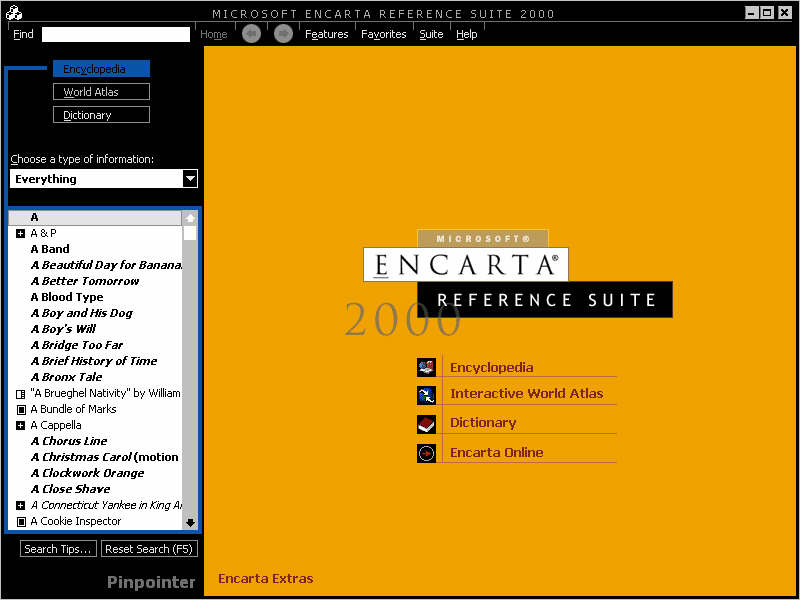
For those of you who have
not seen the layout and design of Encarta I will explain the basic layout
for you. The basic design is similar to that of the old MSN that Microsoft
used to run, the borders and menus are in black, while the main area you
read, view articles, images etc from changes color depending on what you
are reading, although it is usually a white background. At the top of the
Encarta layout are the main menus, they include the following:
-
Find -- Allows
you to search for items by writing in a letter/word, you can also sort
items by their type, such as sounds or images.
-
Home -- This
brings you back to the encyclopedias main page.
-
Features -- From
here you can bring up some of the main parts of the encyclopedia such
as Time lines, world maps, information about the Millennium, Virtual
Tours and much, much more.
-
Tools -- You can
load up the dictionary, curriculum guide, report guide and more school
related tools from here. You can also update your copy of Encarta from
here via a connection to the Internet.
-
Options -- Find,
Voice Controls and settings can all be accessed from here.
-
Favorites -- Add
certain Encarta pages to your favorites list for easy access.
-
Suite -- You can
load up a different suite from here.
-
Help -- Get easy
access to help options.
The main area from which you
search from is called "Find" once you click on this option via
the menu, a bar appears on the left hand side of the layout, from here you
can enter letters/words to find items you are looking for. You can also
search by type of information, this way you can filter out items and only
choose a certain type such as an image or some video footage, something
that is very useful.
Encarta is full of very well
written articles from science to entertainment, each item you read is
streamed off of the DVD in such a quick speed you don't notice any kind of
wait at all. Certain articles also contain different types of multimedia
such as sounds, images, video footage and some excellent 360-Degree Views
(Shown below).
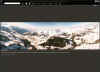
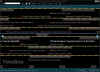
The 360-Degree Views are as
I mentioned, very impressive. They add a good level of interactivity into
the encyclopedia, even more so when they are used in the Virtual Tours
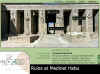
section of Encarta. From the Virtual Tours section (Shown below) you can
travel to destinations across the world and view them via the 360-Degree
option, but it isn't limited to just one view, clicking on hyperlinks in
the video window moves you onto new locations.
As you can already see,
Encarta isn't limited to just basic articles and images it also has a host
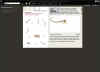
of interactive extras for young and old alike. By clicking on the
Interactivities center via the Features menu you can view simulations on a
host of subjects. They range from building up a dinosaur from its bones
(Shown below) to viewing the human skull anatomy.
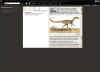
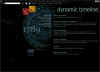
A new feature in Encarta
2000 is the Dynamic Timeline (Shown Below), from here you can explore and
analyze history through a mass of timelines. At a first look it may seem a
little bit confusing, but one you start to find topics or years, searching
categories and places then it all becomes far easier and very interesting
to read.
There are so many features
in Encarta 2000 that it is very hard to go through them all in one go.
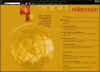
Next up we have the Internet options. By clicking on TOOLS and then
DOWNLOADS you can update your Encarta yearbook with the latest articles
and images that has been updated by the Encarta team. New yearbook updates
are released each month and only take a few minutes to download and helps
keep your articles up to date if your children use Encarta for schoolwork.
This current year 2000 update of Encarta also includes special Millennium
yearbook updates that you can download and can be access in the Millennium
section.
Encarta World English
Dictionary
Encarta 2000 Reference Suite
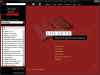
DVD comes with a multimedia reference library, which you can use to
enhance your written communication and find information about many
different topics. Encarta Dictionary is the first newly written English
Dictionary in over 30 years. From here you can access the Dictionary,
Thesaurus, Quotations, Almanac, Style Guide and Computer Dictionary. The
dictionary is again very well written and easy to use, with many sounds
and musical items included within it. Oh and the computer Dictionary is
also very nice too heh.
Final Comments
| How
It Grades |
|
|
Ease
Of Use: 90%
Design: 93%
Video: 89%
Sound: 92%
Online Access: 90%
Sound: 91%
Music: 87%
Manual: 79%
Interface: 90%
Overall: 91%
|
|
|
|
The Encarta 2000 Reference
Suite DVD is a must by in my opinion. It makes create use of your DVD-ROM
and features so many articles, images, sounds and videos that you will be
engrossed for hours and on top of that you also get access to Encarta
online until the end of next year and an excellent dictionary. Overall
Encarta 2000 Reference Suite DVD is something your DVD-ROM drive cannot do
without.
| Specs
& Package |
| Overall
Score |
91% |
| Version
Reviewed |
Version
9.0.0.0702 |
| Release
Date |
Out
Now |
| In
The Box? |
1
DVD-ROM
1 Set of instructions |
| The
Good Points |
Easy
To Use
Excellent Layout & Design
Full Of Great Multimedia
More Interactive Than Ever
Great Dictionary
Mentions Linux
Free Encarta Online Access Until End 2000 |
| The
Bad Points |
Not
Enough New Videos Over Encarta 99 DVD
Voice Recognition Still Not Great |
| Reviewers
PC Setup |
Pentium
II 450
Windows 98 Second Edition
128 Meg SD-Ram
Matrox G400 32MB AGP Graphics Card
Voodoo 2 - 8mb
DirectX 7
SoundBlaster Live! Value
17" LG Electronics Monitor
Microsoft Force Feedback Pro
Microsoft Game Pad Pro (USB)
Microsoft Digital Sound System 80
Microsoft Intellimouse
DVD Setup: Toshiba SD-1202
DVD-ROM - 32x
DVD TV Player - Samsung 807
|
| PC
Required |
Multimedia
PC with a Pentium or higher processor
32 MB of RAM for Windows� 95 or Windows� 98;
40 MB for Windows� NT Workstation
135 MB of available hard-disk space (150 needed for install)
Quad-speed DVD-ROM drive or faster
Super VGA, 256-color or higher monitor supporting 640X480 or
higher resolution (800 x 600 screen resolution recommended) with
local bus video and 1 MB or more of video memory
Windows 95, Windows 98 or later, or Windows NT Workstation version
4.0 or later with Service Pack 3 or later
Web browser; Internet access**
Online updates for Encarta Encyclopedia 2000 are made available on
the Internet each month from June 1999 to December 2000 at no
additional cost.
**Access to and use of the
Internet require payment of a separate fee to an Internet
provider, and telephone charges may apply. |
|